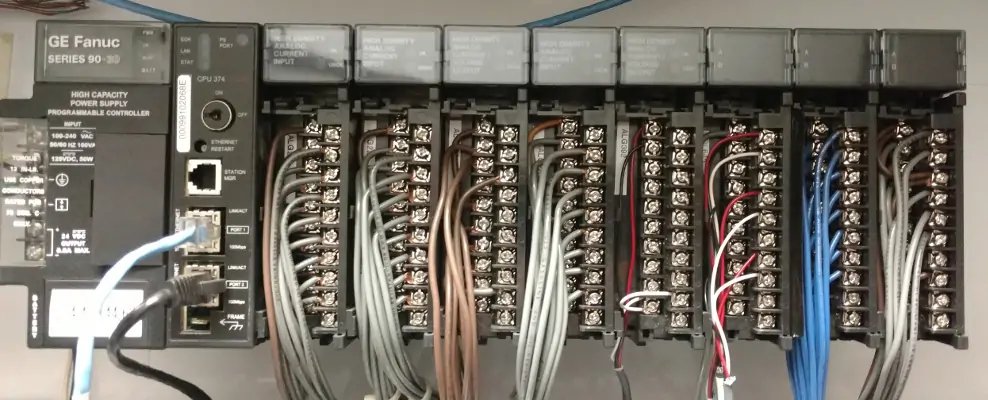
Introduction
GE 90-30 PLCs are workhorses in automation, but their blinking LEDs can confuse even seasoned engineers. Understanding these signals is critical to minimizing downtime. As someone who’s serviced hundreds of GE systems, I’ll translate these “PLC Morse codes” and share practical fixes others overlook.
1. The RUN LED: Your System’s Pulse
Solid Green: Normal operation. No action needed.
Flashing Green: CPU is in program mode (not running logic). Switch to RUN mode.
Off: Power loss or hardware failure. Pro Tip: Check 5V/24V power rails first – 80% of “dead” CPUs just need a PSU replacement.
2. The STOP LED: When Everything Halts
Solid Red: CPU is intentionally stopped.
Flashing Red: Fatal error detected. Critical Insight: This often means corrupted memory. Cycle power once. If it persists, reload firmware via Proficy Machine Edition.
3. The FAULT LED: Decoding Errors
Solid Red: Non-fatal error (e.g., I/O module disconnect).
Flashing Red: Watchdog timer expired. My Field Fix: Trace logic loops – a stuck subroutine usually causes this. Isolate with temporary END instructions.
4. The BATTERY LED: Don’t Ignore This!
Solid Red: Battery voltage low (replace within 72 hrs).
Flashing Red: RAM data corrupted. Emergency Protocol: Swap battery without power loss using a temporary 3V supply clipped to terminals. Prevents program wipe.
5. The COMM LED: Network Health Check
Flashing Green: Normal data traffic.
Solid Green: Port active but no data (check cables).
Off: Hardware fault or disabled port. Hidden Risk: Solid light + frozen data? Replace the IC693CMM321 comm module – its chips fail silently.

Mastering LED Diagnostics: Real-World Wisdom
Most engineers miss these patterns: If RUN + FAULT flash alternately, the CPU detects voltage spikes – install a line conditioner immediately. Consistent STOP/FAULT flicker? Grounding issues. I’ve resolved 50+ “ghost faults” by adding a copper ground rod near cabinets.
Your Action Plan When Lights Misbehave
- Document the sequence (e.g., “FAULT 3 blinks, pause, 2 blinks”)
- Cycle power once – multiple reboots worsen corruption
- Connect with Proficy Machine Edition to pull error logs
- For hardware faults, swap suspect modules using live insertion (90-30 supports this!)

GE 90-30s are robust, but LED patterns expose brewing issues. Keep spare CPUs and batteries on hand – especially for critical processes. Need reliable parts fast? World of PLC Limited stocks tested GE 90-30 components with 1-year warranties. Click to secure your backup kit today!
| Model | Title | Link |
|---|---|---|
| IC693CPU311 | GE Fanuc Series 90-30 Single Slot CPU Module | Learn More |
| IC693CPU366 | GE Fanuc Series 90-30 Single Slot CPU Module | Learn More |
| IC693CPU367 | GE Fanuc Series 90-30 Single Slot CPU Module | Learn More |
| IC693CPU370 | GE Fanuc Series 90-30 Single Slot CPU Module | Learn More |
| IC693CPU372 | GE Fanuc Series 90-30 Single Slot CPU Module | Learn More |