Troubleshooting Honeywell FC-QPP-0002: Decoding the 3-Flash Diagnostic Error
Understanding the 3-Flash Diagnostic Code
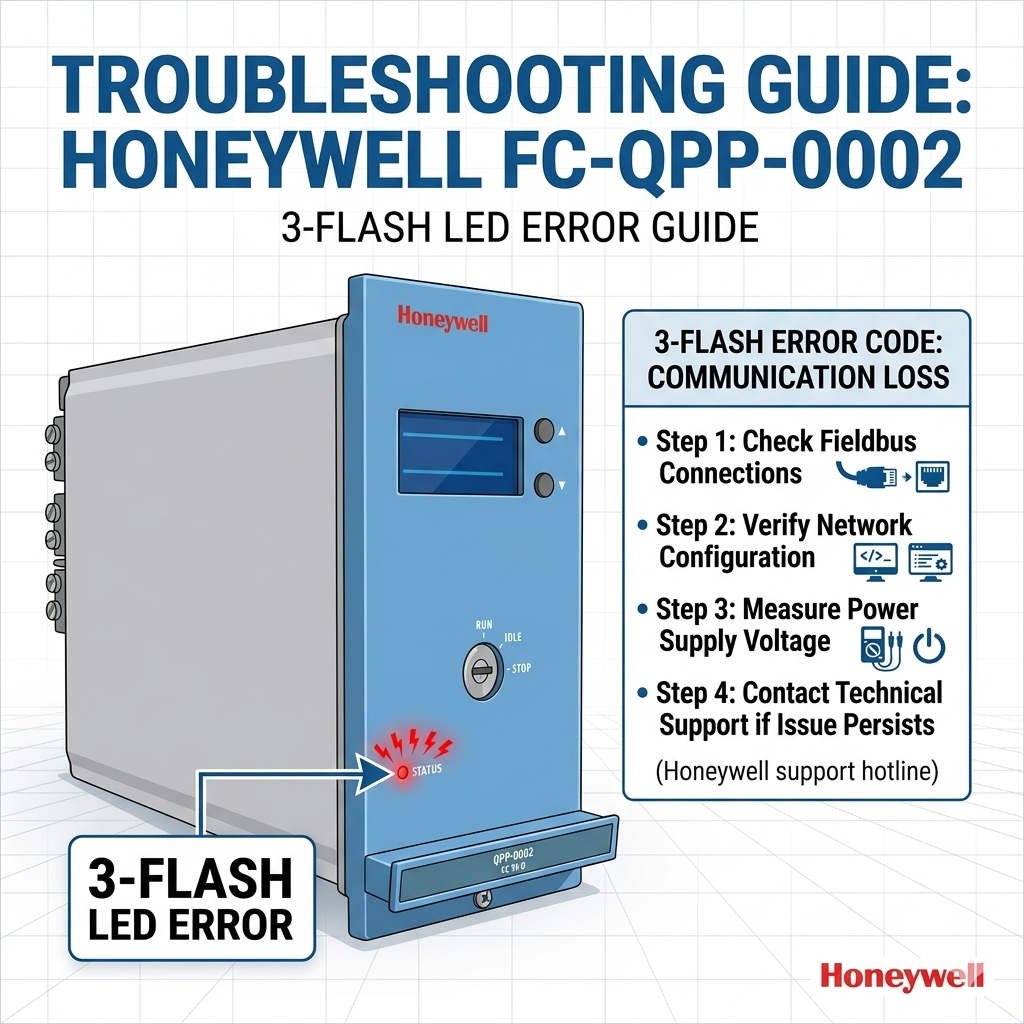
In the demanding environment of Honeywell safety control systems, the red “Diagnostic” LED provides vital feedback. Specifically, a repeating 3-flash cycle on the FC-QPP-0002 module indicates a Configuration Fault or Parameter Mismatch. This signal does not mean the hardware is broken. Instead, the module has detected an inconsistency between its internal settings and the system database. Consequently, the controller prevents the module from going online to protect the safety loop integrity.

Core Value: Ensuring Safety and Data Consistency
The FC-QPP-0002 plays a critical role in maintaining stable power and signal processing for DCS (Distributed Control Systems). In industries such as oil refining and chemical processing, data consistency is paramount. The “3-flash” warning serves as a proactive defense mechanism. It stops incorrect configurations from entering the execution phase. As a result, it prevents potential process interlocks or system malfunctions caused by mismatched I/O mapping.
Technical Deep Dive: Configuration Integrity Checks
During the power-on self-test, the module validates several key data points. It compares controller parameters, internal EEPROM data, and communication node IDs. If these values do not align, the module refuses to enter “RUN” mode. This rigorous check ensures that the engineering version of the software matches the physical hardware. Moreover, it prevents the loading of incorrect signal scales that could compromise safety logic.
Communication Handshaking and Firmware Compatibility
The FC-QPP-0002 relies on high-speed backplane communication, often through the Safety Bus or FTE (Fault Tolerant Ethernet). The module must complete a precise handshake sequence during startup. If the firmware version of the module is incompatible with the Experion or FSC software version, the handshake fails. Therefore, maintaining synchronized updates between hardware and software is essential for industrial automation stability.
Field Maintenance: Practical Steps to Resolve the Error
Experience from Oiltech Controls Limited shows that 70% of 3-flash errors are solved without hardware replacement. First, engineers should perform a full “Download and Activate” command from the engineering station. This often forces the module to sync its EEPROM with the current project database. Additionally, check for physical connection issues. Over time, oxidation on the backplane pins can cause intermittent data corruption during the configuration phase.
Expert Commentary by Oiltech Controls Limited
We often see technicians rush to replace hardware when they see red lights. However, modern Honeywell modules like the FC-QPP-0002 are incredibly robust. The 3-flash code is usually a “logic bridge” problem rather than a physical failure. We recommend auditing your software definitions before opening a new box. In our view, a disciplined version control strategy is the best way to avoid these commissioning delays.
For more technical insights and reliable Honeywell safety system parts, visit our experts at Oiltech Controls Limited to optimize your plant’s reliability.
Installation and Maintenance Checklist
- ✓ Verify Version: Ensure the project database matches the module’s hardware revision.
- ✓ Download Configuration: Always re-download parameters after replacing a module.
- ✓ Clean Backplane: Use contact cleaner on the rack pins if the module fails to commission.
- ✓ Check Seating: Confirm the module is fully inserted and the locking clips are engaged.
Frequently Asked Questions (FAQ)
Q1: If the Diagnostic light flashes 3 times, do I need to buy a new module?
Not necessarily. Most 3-flash events are software-related. You should first verify that the module is correctly “Commissioned” in your software. Only consider replacement if the module fails to communicate after multiple download attempts or shows internal EEPROM errors.
Q2: Can I swap an older FC-QPP-0001 with an FC-QPP-0002 directly?
While the physical interface may fit, the parameter structures often differ. You must update the engineering database to reflect the new model number. Failure to do so will trigger a parameter mismatch error immediately upon installation.
Q3: Does a 3-flash error affect the entire I/O rack?
It can. Since the FC-QPP-0002 often handles power or interface tasks, a configuration fault might prevent the entire rack from communicating with the controller. This highlights why resolving configuration issues is critical for factory automation uptime.
Industrial Solution Scenario: Oil & Gas Refining
In a large refinery upgrade, several new FC-QPP-0002 modules showed 3-flash errors during the SAT (Site Acceptance Test). Instead of diagnosing hardware, the team discovered the engineering station used an outdated firmware definition file. After updating the software library and performing a clean download, every module went to “RUN” status without a single hardware replacement. This proves that understanding diagnostic codes can save thousands in unnecessary procurement.