Troubleshooting the Schneider Electric 140DAI75300: Solving “Active” LED Failures
The Strategic Role of Modicon Quantum Modules in PLC Systems
The Schneider Electric 140DAI75300 serves as a critical digital input interface within the Modicon Quantum ecosystem. This module converts discrete field signals, such as switch states and sensor outputs, into actionable logic for the PLC. In continuous production environments like oil, gas, and chemical processing, the stability of these inputs is paramount. However, when the “Active” indicator fails to light up, it signals a potential breakdown in safety interlocks. Consequently, rapid diagnosis is essential to prevent unplanned shutdowns or equipment failure.
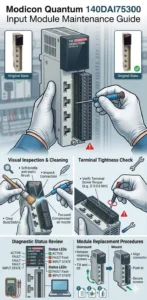
Technical Analysis of Input Voltage and Signal Thresholds
The 140DAI75300 operates typically on a 24V DC signal. If the input voltage drops below the specific threshold—often under 19V—the module cannot recognize the state. Long-distance cabling or improper grounding often causes significant voltage drops in large-scale industrial automation projects. Therefore, engineers must verify that the power supply provides a steady current to ensure signal reliability. Fluctuations here directly correlate with erratic data acquisition and system instability.
Backplane Communication and Module Identification Challenges
The “Active” LED does not merely indicate power; it confirms successful communication with the Quantum backplane bus. If the CPU fails to identify the module, the light remains dark. In older factory automation setups, oxidation on backplane pins or bent connectors frequently disrupts this link. Moreover, improper module insertion can lead to intermittent communication faults. We recommend a firm insertion force and regular cleaning of contact points in high-humidity industrial environments.
Software Configuration and Digital Filtering Impact
Internal filtering settings in software like Unity Pro or EcoStruxure Control Expert influence how the module reacts to field data. If you set the input filter time too high, the 140DAI75300 may ignore rapid signal changes. This behavior often leads technicians to falsely conclude that a hardware failure has occurred. In addition, the “Active” status depends entirely on the hardware configuration being correctly downloaded to the control systems. Always verify that the I/O map matches the physical slot arrangement.
Strategic Maintenance Insights from Oiltech Controls Limited
At Oiltech Controls Limited, our field experience suggests that 80% of “Active” LED issues stem from external factors rather than internal component failure. While the Quantum series is famous for its durability, the aging of these systems requires a proactive approach. We believe that incorporating these modules into a 10-year preventive replacement cycle aligns with IEC 60300 reliability standards. Furthermore, as the industry migrates toward the Modicon M580 platform, maintaining a stock of tested spares for legacy systems is a vital risk-mitigation strategy.
For expert procurement support and high-quality Modicon replacement parts, visit Oiltech Controls Limited to explore our comprehensive inventory.
Field Troubleshooting Checklist
- ✓ Physical Connection: Ensure the module is fully seated in the rack and check for connector oxidation.
- ✓ Voltage Verification: Use a multimeter to confirm a stable 24V DC at the input terminals and common point.
- ✓ Software Sync: Re-check the I/O configuration in Control Expert to ensure the module is assigned and active.
- ✓ Hardware Swap: Exchange the module with a known working unit to isolate a potential internal circuit failure.
Frequently Asked Questions
Q1: Why does the “Active” light blink instead of staying solid?
A blinking LED usually indicates a configuration mismatch or a communication heartbeat error. This often happens when the module is defined in the software but is experiencing heavy EMI interference on the backplane.
Q2: Can I hot-swap the 140DAI75300 while the PLC is running?
Technically, the Quantum rack supports hot-swapping. However, in our experience, doing this frequently on aging hardware can cause electrical arcing that eventually degrades the backplane pins. We recommend powering down whenever possible.
Q3: Is there a modern equivalent if this module is discontinued?
The Modicon X80 I/O series is the modern successor. While you cannot plug an X80 module into a Quantum rack, you can use remote I/O adapters to integrate newer hardware into existing Quantum networks during a phased migration.
Application Scenario: Chemical Plant Reliability
In a recent chemical refinery audit, an intermittent “Active” light on a 140DAI75300 was traced back to a common ground loop issue. By isolating the DC common and cleaning the backplane connectors, the facility restored full diagnostic visibility. This simple maintenance action prevented a costly replacement of the entire DCS interface, demonstrating the value of systematic troubleshooting.