


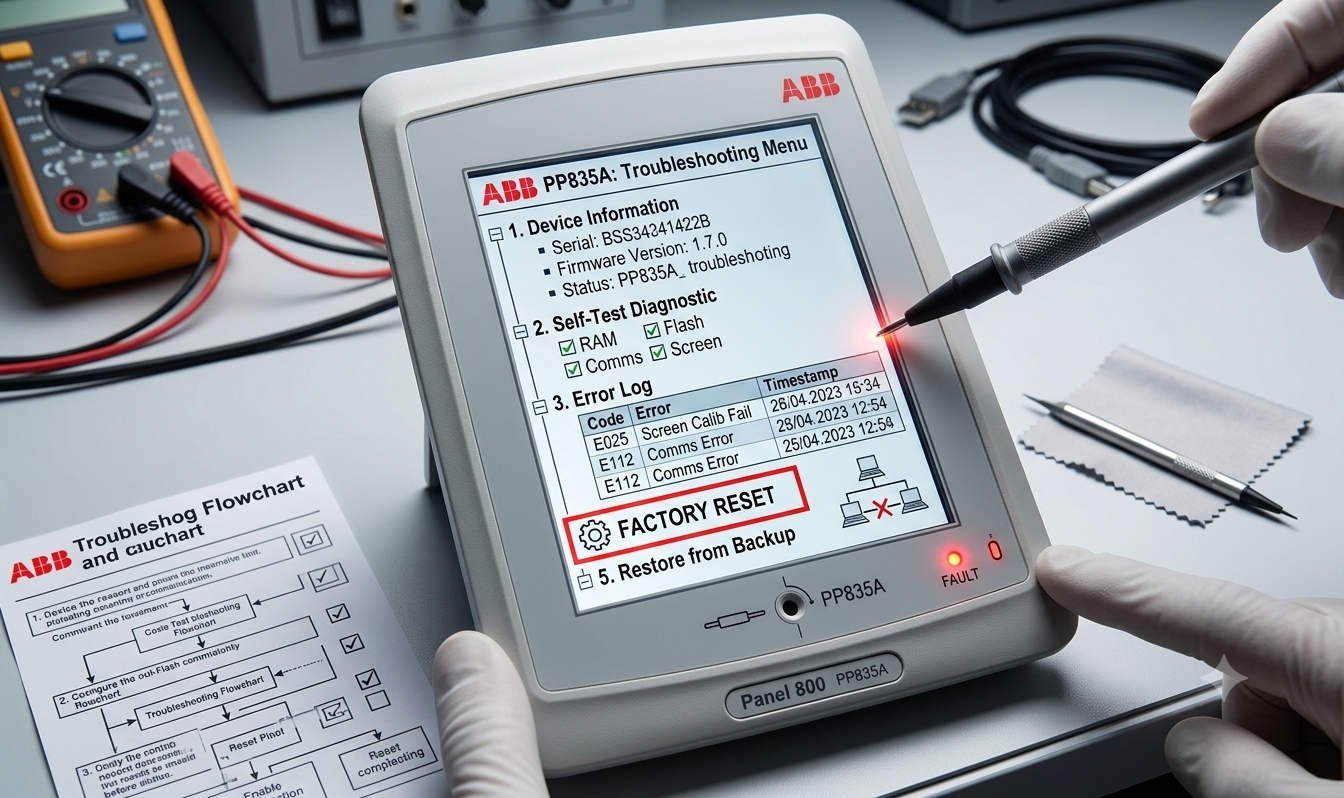
Troubleshooting ABB PP835A (3BSE042234R2) HMI Stuck on Loading Windows CE
The Challenge of Frozen HMI Startup
The ABB PP835A (Panel 800 series) acts as a critical human-machine interface in industrial automation sectors. When your unit freezes at the “Loading Windows CE” splash screen, it typically indicates a corrupted OS, damaged boot files, or failing internal flash storage. At Oiltech Controls Limited, we recognize that this issue paralyzes local DCS control and monitoring. Mastering the recovery process is essential to restoring your production monitoring capabilities and minimizing expensive downtime.
Understanding the Windows CE Embedded Architecture
The PP835A operates on a Windows CE platform to run Panel Builder projects. The startup sequence follows a precise path from the bootloader to the runtime environment. If the process stalls, the internal file system or flash memory integrity is likely compromised. Our field data shows that over 60% of these startup failures in harsh environments result from unstable power supply or memory degradation rather than CPU failure. As a result, before attempting a factory reset, you should verify that your 24VDC power source is stable and free of voltage spikes.
Step-by-Step Recovery Procedures
If your HMI fails to boot, you can attempt these diagnostic recovery steps in order of complexity:
- ✅ Method 1: System Menu Access: Power off the unit. Hold the top-left corner of the touchscreen while powering it back on for 10 seconds. This often opens the Service Menu where you can execute a factory reset.
- ⚙️ Method 2: Maintenance Mode: Power off the unit. Press and hold the top-left and bottom-right corners simultaneously for 15 seconds during startup to trigger the Boot Maintenance Mode.
- 🔧 Method 3: Firmware Reflash: If internal recovery fails, use ABB Panel Builder 800 software to re-image the operating system via Ethernet or a dedicated USB storage medium.
Expert Insights from Oiltech Controls Limited
We advise extreme caution regarding your project data. Performing a factory reset will wipe all IP configurations, communication drivers, and user project files. Before starting, always ensure you have a verified backup of the Panel Builder source code. At Oiltech Controls Limited, we believe that preventive maintenance—such as installing an industrial UPS to protect against sudden power loss—is far more effective than emergency troubleshooting. For units that have been in operation for over eight years, recurrent boot failures often signal the end of the hardware’s reliable service life.
Frequently Asked Questions (FAQ)
Q: How do I know if the hardware has failed permanently?
A: If the system frequently resets itself, fails to retain touchscreen calibration, or shows persistent write errors after a successful re-image, the internal flash storage is likely worn out.
Q: Is it possible to upgrade an old project to a new PP835A unit?
A: Yes, but you must match the firmware and runtime versions. Always perform a migration test in an offline environment to ensure communication drivers with your PLC or DCS remain stable.
Q: What is the most common cause of the “Loading Windows CE” hang?
A: Sudden power loss is the primary culprit. It interrupts the file system writes, leading to partial file corruption in the OS partition.
Are you facing recurring issues with your legacy Panel 800 series hardware? At Oiltech Controls Limited, we specialize in high-quality spare parts and technical guidance for critical control systems. Whether you need a replacement PP835A or support with system recovery, our experts are here to help you maintain continuous production. Visit our website today to explore our extensive inventory and service solutions.





%20HMI%20Stuck%20on%20Loading%20Windows%20CE%20The%20Challenge%20of%20Frozen%20HMI%20Startup%20The%20ABB%20PP835A%20(Panel%20800%20series)%20acts%20as%20a%20critical%20human-machine%20interface%20in%20industrial%20automation%20sectors.%20When%20your%20unit%20freezes%20at%20the%20“Loading%20Windows%20CE”%20splash%20screen,%20it%20typically%20indicates%20a%20corrupted%20OS,%20damaged%20boot%20files,%20or%20failing%20internal%20%5B…%5D&media=https://www.oiltechcontrols.com/wp-content/uploads/2026/06/ABB-PP835A-Factory-Reset-and-Troubleshooting-Guide_.jpg)